
Views: 0 Author: Site Editor Publish Time: 2026-01-05 Origin: Site


As businesses evolve in the digital age, the demand for more interactive and efficient collaboration tools grows. Traditional methods of communication and presentation are becoming outdated in many office environments, especially in meetings and brainstorming sessions. Interactive Whiteboards are quickly becoming an indispensable tool for modern businesses, enhancing collaboration, improving productivity, and fostering creativity in both small and large-scale settings.
Choosing the right interactive whiteboard is crucial for your business. It is not just about having a large screen to display content—it is about selecting a solution that meets the specific needs of your business and optimizes team interaction. Whether you're setting up a huddle room for quick team meetings or outfitting a large conference room for international presentations, the right interactive whiteboard can make a significant difference in how efficiently your team communicates and collaborates. In this article, we’ll walk you through key considerations in choosing the right size and type of interactive whiteboard for your business, from room size to system features.
The first step in selecting an interactive whiteboard is to consider the space where it will be used. Business needs differ from those in educational settings, and understanding your specific requirements can help you make a more informed decision about size, features, and functionality.
For smaller meeting rooms, where quick discussions and brainstorming sessions take place, a compact interactive whiteboard is ideal. Smaller screens, typically in the range of 55-65 inches, offer enough space for collaborative work without overwhelming the room. These sizes are suitable for up to 5-6 participants, allowing them to engage with the content easily.
On the other hand, larger meeting rooms require bigger screens. A larger interactive whiteboard, typically between 75-85 inches, is perfect for bigger rooms and teams of 10 or more participants. These systems offer more screen real estate, allowing multiple people to interact with the content at once, making them well-suited for large conferences or presentations.
In the modern business world, many companies have adopted hybrid work models. Employees might be working from home or other remote locations, so the need for effective technology to bridge the gap between in-office and remote teams is vital. An interactive whiteboard that supports video conferencing, wireless casting, and cloud integration can ensure that everyone, regardless of location, can participate in meetings and collaborate in real time. Hybrid meeting scenarios require an interactive whiteboard that can seamlessly integrate with various devices and software, making it easy for everyone to engage in a meaningful way.
Choosing the appropriate size for your interactive whiteboard is crucial in making sure the technology works effectively in your space. A screen that is too small in a large room can make it difficult for participants to read or interact with the content. Conversely, a screen that is too large for a small room can make it overwhelming and underused.
Room Type | Recommended Size | Ideal Features |
Small Meeting Rooms | 55-65 inches | Compact, ideal for quick meetings and brainstorming sessions. |
Medium Meeting Rooms | 65-75 inches | Balanced size that supports group interactions and presentations. |
Large Conference Rooms | 75-85 inches | Larger screens that offer high visibility for big groups and multiple speakers. |
Boardrooms | 85-100 inches | High-definition, large display for maximum visibility and interactive presentations. |
In larger meeting spaces, the size of the interactive whiteboard directly impacts how well participants can see the screen and interact with it. A larger screen allows for better visibility, especially for complex data, presentations, or collaborative work. The increased screen space means that all team members, regardless of their position in the room, can comfortably view the content and engage in the meeting. For hybrid meetings, a larger board ensures that remote users can see content clearly, making it easier for everyone to interact.
When considering an interactive whiteboard, businesses must decide whether they want an all-in-one system or an external system with separate components. Each type has distinct advantages and disadvantages, and the choice depends on your specific business needs and space requirements.
All-in-one interactive whiteboards are integrated systems that combine the display, computing system, and software into one unit. This configuration is ideal for businesses that need a streamlined, easy-to-set-up solution. These systems are usually plug-and-play, meaning they require minimal setup and are ready to use out of the box.
On the other hand, external systems allow for greater flexibility. These systems allow you to connect external devices, such as a computer, projector, or camera, offering more customization options. If your business needs a solution that can evolve with your technology and systems, an external interactive whiteboard system may be more suitable.
System Type | Pros | Cons |
All-in-One System | Easy setup, compact, integrates hardware and software. | Limited flexibility, can be harder to upgrade or customize. |
External System | Highly flexible, allows for upgrades, customizable setup. | Requires external devices, more complex setup. |
While all-in-one systems are ideal for simplicity, businesses that need more advanced functionalities and future-proofing may prefer external systems that offer more flexibility.
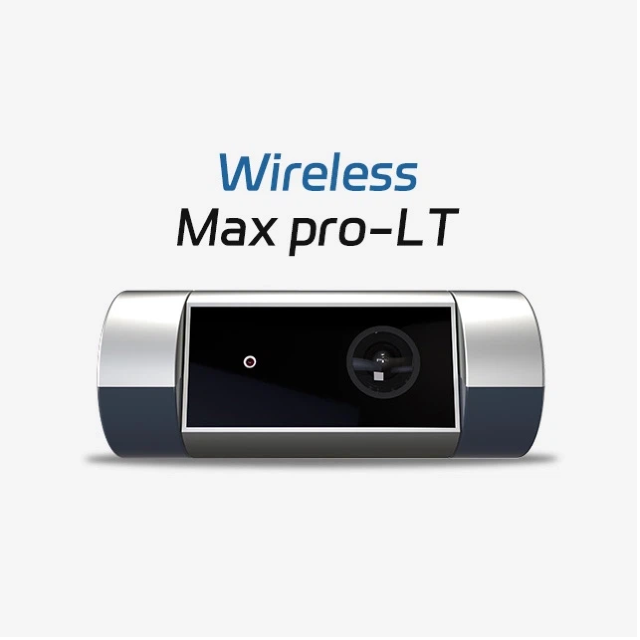
A key factor in selecting the right Tallpic’s interactive whiteboard for business use is ensuring that it supports seamless connectivity and collaboration. In the modern business environment, teams need tools that integrate well with existing technologies, especially when working with remote colleagues.
Wireless casting allows team members to share content from their devices (laptops, smartphones, or tablets) to the interactive whiteboard without cables, enabling flexible collaboration. Cloud integration ensures that all files, presentations, and documents are accessible from any device, anytime. This is particularly important for businesses with hybrid work setups or remote employees.
Device pairing is another essential feature for hybrid meetings. With interactive whiteboards, you can connect various devices, such as video conferencing systems, tablets, or smartphones, to the board. This ensures that remote workers can participate in meetings as if they were in the room. Real-time document sharing, multi-touch collaboration, and annotation features make these boards ideal for collaboration across distances.
Real-time annotation allows multiple users to interact with the content on the interactive whiteboard, making meetings more dynamic. Users can draw, highlight, and make notes directly on the screen, facilitating idea generation and problem-solving. Additionally, file-sharing capabilities enable seamless sharing of documents or files between participants, ensuring that everyone stays on the same page.
Once you have selected the ideal interactive whiteboard for your business, it’s important to consider the total cost of ownership, which includes initial purchase price, maintenance, and after-sales support. These factors can affect the long-term value of your investment.
The total cost of owning an interactive whiteboard involves more than just the upfront price. Consider the costs of software licenses, hardware upgrades, and ongoing maintenance. Some systems may have lower initial costs but higher long-term expenses, while others may require more upfront investment but offer greater durability and fewer ongoing costs.
A comprehensive warranty is essential to protect your investment. Ensure that the interactive whiteboard you choose comes with a solid warranty and access to after-sales support, including software updates and troubleshooting assistance. Many companies also offer training programs to help your staff get the most out of the new technology, so make sure to ask about these options.
In conclusion, selecting the right interactive whiteboard for your business involves more than just choosing the right screen size. By evaluating your meeting space, understanding your team’s collaboration needs, and considering factors like connectivity and ease of use, you can choose a solution that enhances productivity and collaboration. At Tallpic, we offer a wide range of interactive whiteboards that cater to all business sizes and needs. From compact models for small offices to large-scale solutions for conference rooms, our boards are designed to integrate seamlessly into your workspace, improve team collaboration, and increase efficiency.
Contact us today to learn how Tallpic’s innovative interactive whiteboards can help improve your business’s collaboration and productivity.
How can Tallpic’s interactive whiteboards improve business productivity?
Tallpic’s interactive whiteboards enhance productivity by streamlining collaboration, offering real-time annotation, and integrating seamlessly with existing devices.
What size interactive whiteboard is best for small meeting rooms?
For small meeting rooms, interactive whiteboards ranging from 55-65 inches are ideal for quick discussions and brainstorming.
Can I use Tallpic’s interactive whiteboards for remote meetings?
Yes, Tallpic’s interactive whiteboards support wireless casting, cloud integration, and device pairing, making them perfect for hybrid and remote meetings.
What after-sales support does Tallpic offer for interactive whiteboards?
Tallpic provides comprehensive warranty coverage, training, and software updates to ensure your interactive whiteboard continues to perform at its best.


