
Views: 0 Author: Site Editor Publish Time: 2025-12-24 Origin: Site


The integration of interactive projectors in classrooms has brought a new era of teaching and learning, transforming traditional education into a highly engaging and dynamic experience. Unlike conventional projectors that simply display content, interactive projectors allow students and teachers to actively engage with the projected material through touch, gestures, and annotations. This level of interactivity enhances learning outcomes and makes lessons more enjoyable. As a leader in interactive projector technology, Tallpic offers solutions that make learning more immersive, participatory, and fun. This article explores 10 engaging classroom activities that can be made possible with interactive projectors, enhancing both student engagement and learning results.
Interactive projectors break the traditional boundaries of a static classroom environment by enabling interactive learning. Instead of simply projecting slides or videos, teachers can now actively engage students with the projected content. This level of interaction helps maintain student attention, promotes collaboration, and encourages creative thinking.
In addition, teachers can use these projectors to create dynamic lessons that evolve in real-time, fostering a deeper connection between the content and the students. By incorporating touch capabilities, the interactive projector allows students to engage with lessons in a hands-on manner, enhancing both comprehension and retention.
Interactive projectors are ideal for group annotation and collaborative note-taking. Teachers can project diagrams, text, or any other content onto a surface, allowing students to mark, underline, or annotate directly on the screen.
Students mark diagrams and text together: With interactive projectors, teachers can project complex diagrams or text and invite students to annotate them. This collaborative approach promotes active participation and helps students better understand the material by involving them in the learning process.
By allowing students to collectively engage with the material, interactive projectors promote collaborative problem-solving, creativity, and critical thinking, all of which are essential skills for success in the modern world.
Gamification is a powerful tool in education, and interactive projectors make it easy to incorporate quizzes and games into lessons. Teachers can display questions on the screen and allow students to answer using touch gestures or interactive pens.
Gamified content using touch interaction: By integrating quizzes with interactive projectors, teachers can create a fun and engaging learning environment. Students can interact with questions directly, providing immediate feedback and reinforcing their knowledge. These real-time assessments help teachers gauge students' understanding and adapt lessons accordingly.
Interactive projectors are excellent for creating immersive storytelling experiences. Teachers can project storybooks, images, or animations related to a story, and students can participate by interacting with the projected content, enhancing their engagement with the narrative.
Word hunts and sentence building activities: In a language class, for example, teachers can project words or phrases on the screen and ask students to find specific words, form sentences, or complete puzzles. This promotes language acquisition and helps develop literacy skills in a fun and interactive way.
By allowing students to touch, manipulate, and rearrange words, interactive projectors make learning a more immersive experience. Students become active participants in the storytelling process, enhancing their language skills and creativity.
Math can be a challenging subject for many students, but interactive projectors make it easier to visualize complex problems and solve them collaboratively. Teachers can project math problems onto the screen, and students can interact directly with the content to solve equations or manipulate shapes.
Visual problem breakdowns with touch input: For example, in geometry, students can drag and drop geometric shapes to demonstrate properties, or in algebra, they can manipulate numbers to solve equations. This hands-on approach makes abstract concepts more tangible and easier to understand.
Interactive projectors also make it easier for teachers to provide step-by-step solutions to complex problems, allowing students to follow the process in real-time and understand how to solve the problem independently.
Science education benefits greatly from interactive projectors, especially when it comes to experiments and simulations. Teachers can project interactive science simulations onto the wall, allowing students to explore scientific concepts without the need for physical lab equipment.
Drag-and-drop experiments: Students can conduct virtual experiments by dragging and dropping items on the projected surface, simulating real-world processes. For example, they could mix chemicals or assemble parts of a machine, watching how these interactions affect the outcome. These interactive simulations help students learn about science in a hands-on, safe, and engaging way.
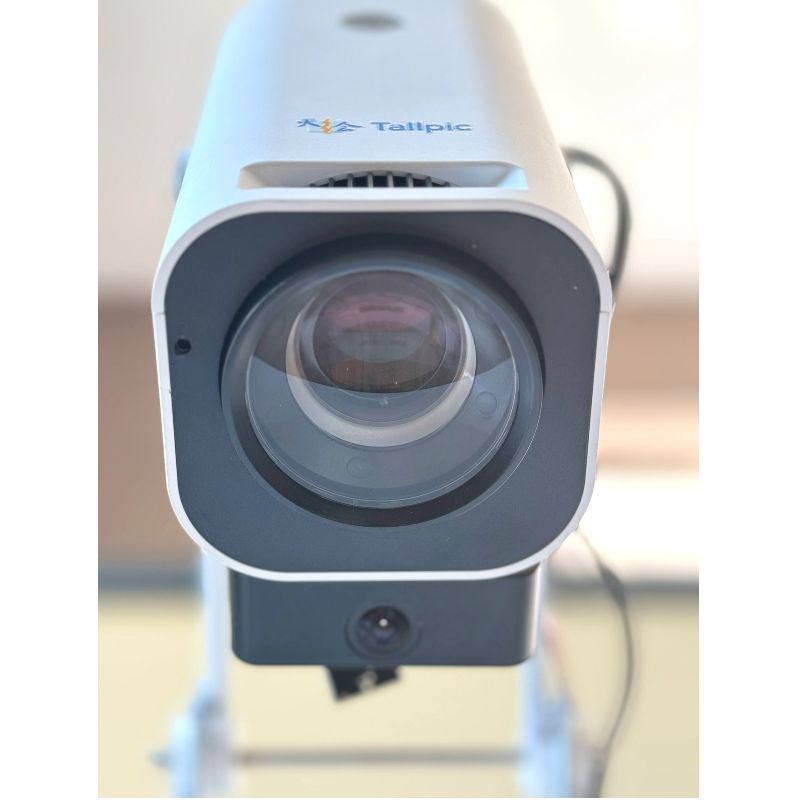
Art and design projects are made even more engaging with interactive projectors. Students can use the projected surface to collaborate on digital art, design, and creative projects. Teachers can encourage students to create their own artwork, contribute to a class-wide project, or explore various design concepts in real time.
By using touch input and gestures, students can interact with digital tools and media, bringing their artistic vision to life while collaborating with their peers. This kind of creative interaction promotes teamwork and enhances learning experiences in the arts.
Interactive projectors are particularly beneficial in early education, where developing reading skills is essential. Teachers can project stories, books, or characters onto the surface and children can interact with the content by pointing, tapping, or drawing.
Enhancing language skills through touch: Students can interact with projected words and images by pointing, tapping, or even drawing. This hands-on approach fosters early literacy skills and makes reading a fun, immersive experience.
Interactive reading sessions encourage early learners to actively participate in the story, building both literacy and listening skills.
Brainstorming is an essential part of the learning process, and interactive projectors make it easier to visualize ideas and concepts. Teachers can project brainstorming prompts or mind maps, and students can collaborate on the projected surface, adding their ideas and building on one another's contributions.
Collaborative idea generation: Students can add their thoughts, draw connections between ideas, or even vote on the most relevant suggestions. This encourages participation from everyone in the class and helps foster a creative problem-solving environment.
Interactive projectors provide a digital space where ideas can flow freely, making it easier for students to capture and organize their thoughts.
Interactive projectors enhance teacher-led demonstrations by allowing students to participate directly in the lesson. Teachers can project instructional videos, diagrams, or models, and students can interact with the content by contributing their ideas or solving problems.
Active student involvement: During demonstrations, students can use the interactive projector to manipulate the content, answer questions, or perform tasks. This direct involvement increases student engagement and ensures a more active learning experience.
By incorporating interactive projectors into demonstrations, teachers can turn passive lessons into interactive experiences that promote deeper understanding.
With interactive projectors, teachers can take students on virtual field trips to explore places they may not be able to visit in person. Whether it’s a historical site, a foreign country, or a distant planet, interactive projectors bring these experiences to life with vivid projections and interactive maps.
Exploring the world through touch: Students can explore different regions of the world by interacting with the projected map or even "travel" to different time periods by interacting with historical data and imagery. This immersive approach fosters curiosity and a sense of adventure.
This activity not only enhances students' geographical and historical knowledge but also sparks their imagination by immersing them in environments they might otherwise never experience.
Interactive projectors are transforming traditional classroom activities into engaging, hands-on experiences. From group annotation to real-time quizzes and collaborative brainstorming, interactive projectors enable teachers to create dynamic and participatory lessons that actively involve students in the learning process. The versatility of these projectors makes them ideal for diverse activities across subjects, encouraging creativity, teamwork, and critical thinking.
At Tallpic, we continue to pioneer innovative technologies that enhance the learning experience. Our innovative interactive projectors are designed to make teaching and learning more immersive, interactive, and effective. If you're ready to bring this technology into your classroom, contact us today to learn more about how our products can help you create a more engaging educational environment.
What activities can I use an interactive projector for in the classroom?
An interactive projector can be used for various activities, including group annotation, live quizzes, interactive storytelling, math problem-solving, science simulations, and more.
How does an interactive projector improve student engagement?
By allowing students to directly interact with the projected content, interactive projectors promote active participation, increase attention, and improve learning retention.
Can interactive projectors be used in early education settings?
Yes, they are particularly beneficial in early education, making learning more interactive and engaging through touch-based activities.
How easy is it to set up an interactive projector in a classroom?
Interactive projectors are easy to set up, with many models offering wireless calibration and quick installation, making them ideal for busy classroom environments.


